If you’ve logged into WordPress recently, chances are you’ve already seen the notification encouraging you to update to WordPress 7.0.
And while it can be tempting to hit the update button immediately and hope for the best… I’d strongly encourage you to slow down for a moment first.
Because here’s the thing most non-techie website owners don’t realise:
It’s usually not WordPress itself that causes problems during updates.
It’s outdated plugins, old themes, poor hosting setups, or websites that haven’t been maintained properly over time.
After 18+ years working with WordPress websites, I can tell you this confidently:
A few minutes of preparation can save you HOURS of stress later.
So before you update to WordPress 7.0, here are the 5 most important things I recommend doing first.

1. Backup Your Website First
I know…
Everyone says this.
But honestly? There’s a reason.
Your backup is your safety net.
If something goes wrong during the update process, a proper backup gives you the ability to restore your website quickly instead of panicking and trying to figure out what broke.
Ideally, you want to backup:
- your website files
- your database
- your media/uploads
- plugin and theme settings
Many hosting providers offer backups already, but I still recommend having your own backup system too.
Especially if your website is important to your business.
Because trust me…
The time people usually realise they don’t have a proper backup is AFTER something goes wrong. 😅
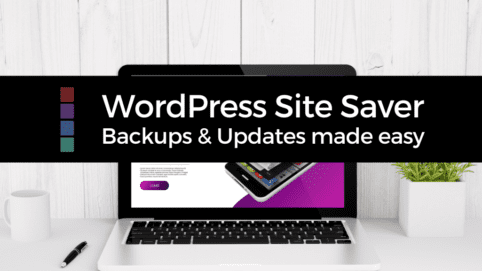
If you aren’t sure how to backup & update your site safely, checkout my WordPress Site Saver short course below or explore the posts in my Backup & Update WordPress Category
Quick Tip:
Before updating anything major, download a backup copy somewhere safe outside your hosting account too.
2. Update Your Plugins & Theme First
This is one of the BIGGEST causes of WordPress update problems.
Many website owners try to:
- update WordPress first
- leave plugins outdated
- ignore theme updates
- hope everything magically works together
Unfortunately, that’s not how WordPress works.
Plugins and themes need to stay compatible with newer versions of WordPress.
So before updating to WordPress 7.0:
- update your plugins
- update your theme
- remove plugins you no longer use
- check if anything has been abandoned by the developer
If you see plugins that haven’t been updated in years…
That’s usually a red flag 🚩
Important:
The more plugins you have installed, the more important compatibility becomes.
This doesn’t mean plugins are bad.
It just means your website ecosystem needs regular maintenance.
3. Check Your PHP Version
This is something many non-techie website owners have never even heard of before.
But it matters.
PHP is basically the engine running behind your WordPress website.
And WordPress 7.0 is designed to work best with newer PHP versions.
Ideally you want:
- PHP 8.2 or higher
Older PHP versions can:
- slow your website down
- create compatibility problems
- trigger errors
- increase security risks
You can usually check your PHP version:
- inside your hosting account
- through Site Health in WordPress
- or by asking your hosting provider
If your hosting company is still running very old PHP versions, it might honestly be time to consider better hosting.
Because modern WordPress websites need modern environments to run properly.
4. Test Your Website After Every Major Update
One mistake I see all the time is people updating everything at once and then having absolutely no idea what caused the issue.
Instead:
- update carefully
- test things step-by-step
- check your website immediately afterward
After updating:
- visit your homepage
- test your forms
- check your menus
- test mobile view
- check checkout/cart systems
- test membership logins
- test course areas
- check contact forms
- review page layouts
Pay particular attention to:
- page builders
- WooCommerce
- membership plugins
- booking systems
- popup tools
These are often the areas where issues appear first.
Quick Reminder:
Sometimes problems aren’t obvious immediately.
That’s why testing properly matters.
5. Don’t Rush To Update On Day One
This is probably my biggest piece of advice.
You do NOT need to update to WordPress 7.0 the second it becomes available.
In fact…
If your website is heavily customised, business-critical, or uses lots of plugins, waiting a week or two can actually be the smarter option.
Why?
Because:
- plugin developers need time to test compatibility
- bugs sometimes appear after release
- fixes and patches may follow quickly
- support forums reveal common problems early
Now this doesn’t mean you should avoid updates forever.
Eventually updates ARE important for:
- security
- performance
- compatibility
- long-term stability
But updating strategically is very different from updating emotionally because a notification appeared.
My Honest Recommendation
If your website:
- is modern
- regularly maintained
- uses reputable plugins
- has good hosting
- has proper backups
…you’ll probably be absolutely fine updating to WordPress 7.0.
But if your website hasn’t been touched properly in years and runs on hope, duct tape, and 47 random plugins from 2018…
Maybe approach a little more carefully 😂
Final Thoughts
WordPress 7.0 actually looks really promising overall.
The platform continues moving toward:
- better performance
- easier editing
- more flexibility
- better responsive design
- cleaner workflows
- improved user experience
But no update is worth risking your entire website over because you skipped the preparation process.
A little caution now saves a lot of stress later.
And honestly?
Learning how to safely maintain your website is one of the best skills you can develop as a website owner.
Because confidence with WordPress doesn’t come from knowing everything.
It comes from understanding the process.
Need Help Managing Your WordPress Website?
If you want support learning how to safely manage, update, improve, and troubleshoot your WordPress website without the tech overwhelm, here are a few ways I can help:
Join The WordPress Learners Lounge
Live WordPress help, accountability, troubleshooting support, and small group Zoom calls where you can ask questions and get support with your website.

Explore NCDAcademy WordPress101®
My beginner-friendly WordPress programme designed specifically for non-techie small business owners wanting to confidently build, maintain, and improve their websites.


Book A Power Hour
Need personalised help?
Book a 1:1 Power Hour and we can work through your website, updates, troubleshooting, strategy, or WordPress questions together.