Tools I recommend for WordPress Website Owners
learn-wordpress-for-beginners-nataliecrowedesigns

Tools I use & Recommend

In today’s blog I thought I’d share a few tools and resources I regularly use or recommend. Nothing complicated.

Just things that make running your WordPress website a bit easier. You don’t need them all.
Just pick one or two that feel useful right now.

🛠️ Tools I personally use in my business
(Heads up, some of these are affiliate links. I only recommend what I genuinely use or trust.)

HOSTING AND DOMAINS

👉 VentraIP – Hosting + Domains (AU based)
Reliable Australian hosting and domain provider

👉 SiteGround Hosting
Great all-round hosting, I recommend GrowBig or GoGeek

👉 Lyrical Host
(Managed WordPress Hosting)
Beginner-friendly, secure, and fully supported hosting
Use code NCD10 for 10% off

VIDEO RELATED:

👉 Vimeo Pro (Video Hosting)
Perfect for hosting course content without using YouTube

👉 Streamyard (Live Streaming)
Go live easily to Facebook and other platforms

ADDITIONAL TOOLS / PLUGINS

👉GROUP LEADS – Browser Extension
(Facebook Group Automation)
Automatically collect member data and connect it to your email system

👉 LearnDash  – Learning Management System
(Course Platform Plugin)
The  paid LMS plugin I use to host and deliver my courses on WordPress

📊 UNDERSTANDING YOUR WEBSITE

👉 Google Search Console
See what people are searching to find your site and spot any issues with indexing or visibility.

👉 Google Analytics
Track who’s visiting your site, where they’re coming from, and what they’re doing once they land.

⚡ SPEED + PERFORMANCE

👉 Google PageSpeed Insights
Get a quick overview of your website speed with simple suggestions to improve it.

👉 GT Metrix
A more detailed speed report showing exactly what’s slowing your site down and how to fix it.

👉 TinyPNG
Compress your images to improve load speed without losing quality.

🔍 SEO + CONTENT IDEAS 

👉 Yoast SEO
Helps you optimise your pages and blog posts so they’re easier for Google to understand.

👉 Ubersuggest
Keyword ideas, content suggestions, and basic SEO insights to guide your blog topics.

👉 AnswerThePublic
Find real questions your audience is asking so you can create content around them.

🎨 CONTENT + SHARING

👉 Canva
Create graphics, blog images, PDFs, and lead magnets without needing design skills.

👉 Facebook Sharing Debugger
Fix how your links appear when shared on Facebook so they look clean and clickable.

👉 daysoftheyear.com
Great for content inspiration, awareness days, and seasonal post ideas.

💸 PAYMENTS + EMAILS 

👉 mailerlite.com
Simple email marketing platform for forms, automations, and building your list.

👉 dashboard.stripe.com
Take payments directly through your website for products, services, or digital offers.  
You don’t need everything. But having the right tools in place? It makes everything feel a whole lot easier.
Share:

Facebook
Pinterest
LinkedIn
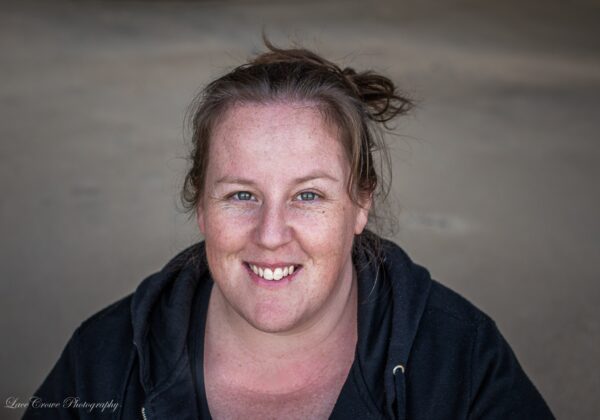
Picture of Natalie Crowe - WordPress Expert

Natalie Crowe - WordPress Expert

WordPress Expert with 15+ years industry experience.

Passionate about empowering non-techies in business, to DIY their own WordPress websites and tech, without the tech overwhelm.

Creator of the NCDAcademy WordPress101® – 3 Part WordPress Beginner’s programme & the WordPress Learners Lounge Membership

Leave a Comment

FREE WordPress Website Planner for non-techies planning to build their own WordPress Website. | WordPress Courses UK, WordPress Courses Australia | WordPress Training

Browse By Category

FREE Facebook Group

Join the Membership

Tools I recommend for WordPress Website Owners
Recommended Resources
Natalie Crowe Designs

Tools I use & Recommend

In today’s blog I thought I’d share a few tools and resources I regularly use or recommend. Nothing complicated. Just things that make running your WordPress website a bit easier. You don’t need them all.Just pick one or two that feel useful right now. 🛠️ Tools I personally use in my business (Heads up, some of these are affiliate links. I only recommend what I genuinely use or trust.) HOSTING AND DOMAINS 👉 VentraIP –

Read More »
On Key

Related Posts

Tools I recommend for WordPress Website Owners

Tools I use & Recommend

In today’s blog I thought I’d share a few tools and resources I regularly use or recommend. Nothing complicated. Just things that make running your WordPress website a bit easier. You don’t need them all.Just pick one or two that feel useful right now. 🛠️ Tools I personally use in my business (Heads up, some

How to Buy a Domain Name in Australia (Step-by-Step for Beginners)

How to Buy a Domain Name in Australia (Step-by-Step for Beginners)

If you’re starting a business in Australia, one of the first things you’ll need is a domain name. This is your website address. It’s how people find you online. And if you’re a little unsure where to start, you’re not alone. In this guide, I’ll walk you through how to buy a domain name using

Wondering if you can build a WordPress website without tech skills? Learn what you actually need, what to skip, and how to get started with confidence.

Can You Build a WordPress Website Without Tech Skills?

If you’re wondering whether you can build a WordPress website without tech skills… the short answer is yes. The more honest answer? Yes… but not by guessing your way through it and hoping for the best. And that’s usually where things go wrong. Most non-techie business owners don’t struggle because WordPress is “too technical”. They

WordPress Expert Natalie Crowe from Natalie Crowe Designs & the NCDAcademy. WordPress for Beginners | WordPress Courses | Learn WordPress with Natalie Crowe | Self-made WordPress websites

WordPress Expert with 16+ years industry experience.

Passionate about empowering non-techies in business, to DIY their own WordPress websites and tech, without the tech overwhelm.

Creator of the NCDAcademy WordPress101® – 3 Part WordPress Beginner’s programme & the WordPress Learners Lounge Membership

Natalie has generated over $750K in sales helping non-techies globally build PROFITABLE WordPress Websites.

LGBTQI Mama of 1, she and her wife and their teenage daughter live in the Hunter Valley NSW, Australia (2 Hours out of Sydney).

“WordPress + Tech doesn’t have to be complicated. I’m a strong believer anyone can learn & I’ve made it my goal to help as many non-techies as possible! ”

Shopping Cart